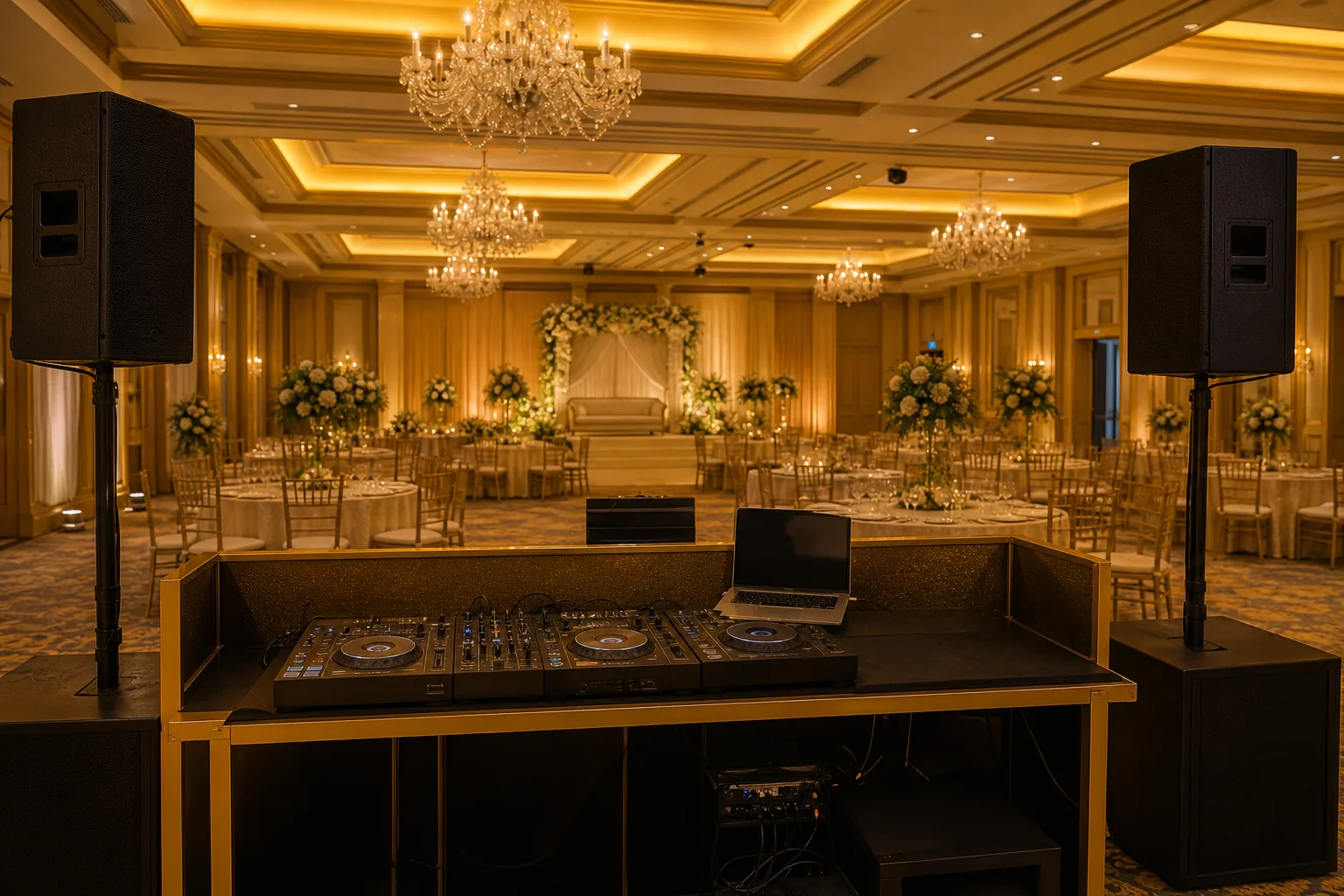
A wedding DJ setup has to work before the dance floor opens. Ceremony vows, sangeet performances and reception music each need a clear plan for sound, space and timing.
For a DJ setup for a wedding, start with the venue and the event schedule, then match the equipment to each room and moment. That’s more useful than choosing gear from a generic rental list.
The core wedding DJ rig: speakers, controller, headphones and cables
A DJ rig is the working set of audio equipment that plays and controls the music. Its parts need to suit the room, the guest count and the type of performance. A small ceremony may need a portable speaker and a simple music source. A reception with a dance floor needs broader sound coverage and a setup that can handle a longer set.
Start with the speakers. Ask how sound will reach guests across the space, not just those nearest the DJ booth. A long banquet hall can leave back tables far from the speakers, while a wide room may need sound placed to cover more than one direction. Turning up the volume isn’t always the answer. The front rows may become uncomfortable before the far end sounds clear.
A mixer or controller lets the DJ manage music and transitions. For a ceremony, the requirements may be modest: start a song at the right cue and fade it at the right time. At a reception, the DJ may need to move between tracks while keeping the music level steady. Headphones let the DJ check the next track before playing it. Cables connect the separate parts, so they should be the right length and routed safely.
Some compact ceremony rigs use a tablet or phone as the music source. That can reduce the amount of gear on site, but music files should be saved on the device and tested before the event. A wireless connection can be handy, yet a ceremony plan shouldn’t depend on a connection that may drop or behave differently at the venue.
When you review a proposed rig, ask which parts cover the ceremony and which are for the reception. Check who brings the sound system, who sets it up and whether the venue has its own audio equipment. My wedding DJ service is a booking for a tailored performance, so your event brief and venue details guide the sound plan rather than a one-size-fits-all gear list.
Think of the equipment as a system, not a pile of items. The speakers, music source and controls need to work together in the actual room.
Ceremony audio and microphones: making the important moments clear
Ceremony audio has a different job from reception sound. It needs to make voices and key music cues easy to hear without making the ceremony feel like a stage show. A mic handed over at the last minute can miss the person speaking, pick up clothing noise or be hard to hear at the back.
Plan microphone use with the officiant and planner. Ask who will speak, whether the officiant moves during the ceremony and whether the couple will have vows or readings. A handheld mic can work for a speaker who stays in one place. A lapel mic may suit someone who needs both hands free, but it needs careful placement so fabric or jewellery doesn’t rub against it. The person wearing it should be comfortable with the choice.
For a Hindu ceremony, the priest may turn, lean or move around the mandap while speaking. That affects where a mic can sit and how well it will capture each passage. Speak with the priest before the event. If live musicians are part of the ceremony, agree when they play under speech and when they can be heard on their own. A single person should be responsible for managing the sound levels.
Then plan the music cues. Make a written list of the prelude music, entrance track and any other songs tied to a specific moment. Note the start point for each track. If the couple wants a song to begin at a particular lyric or instrumental passage, confirm that cue in advance rather than searching for it during the ceremony.
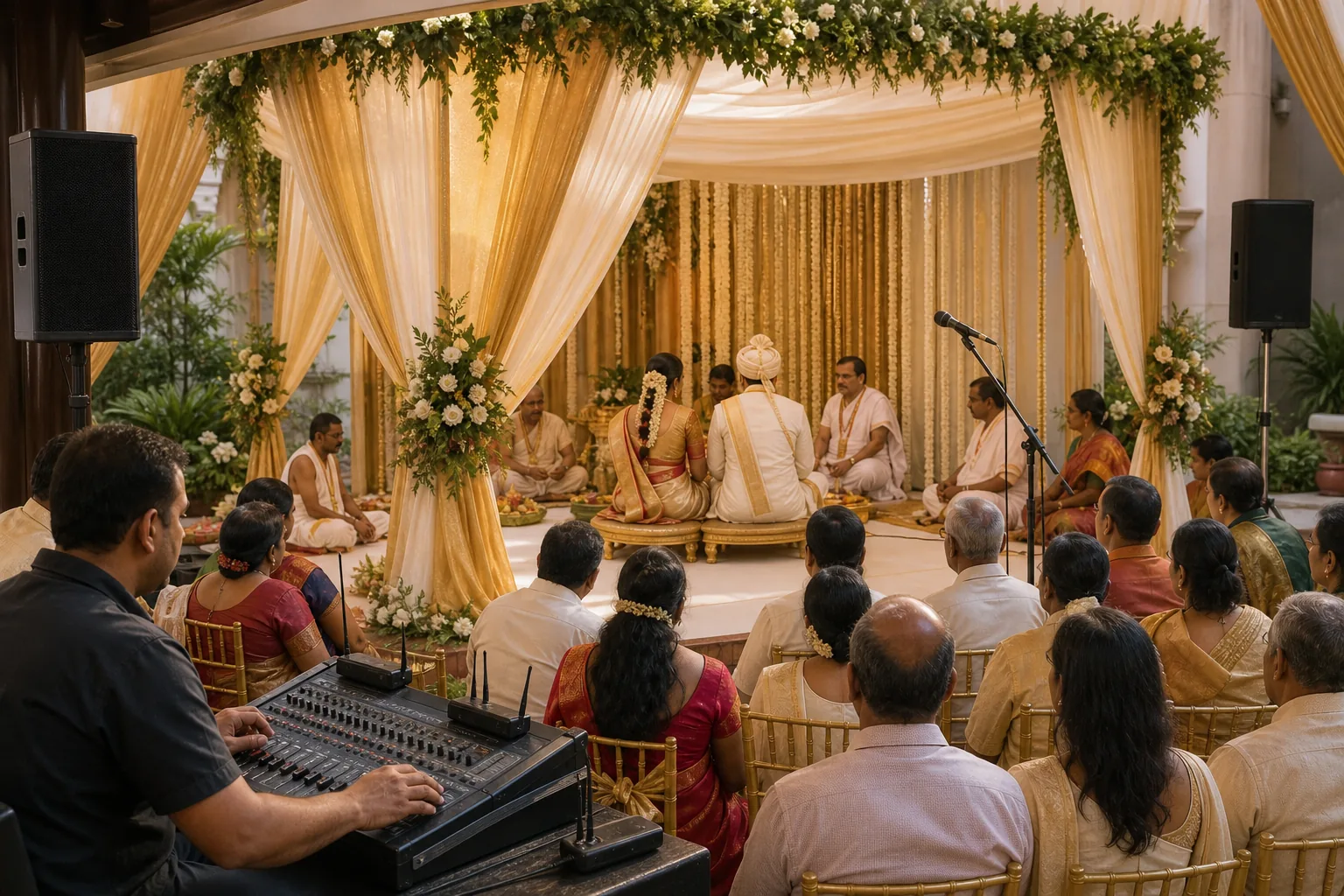
Outdoor ceremonies bring extra variables. Wind can affect a mic, and open space gives sound fewer surfaces to reflect from. Place speakers to cover the seating area instead of aiming them only at the couple. Check that cables won’t cross guest paths, and confirm where power comes from before the ceremony day.
If a videographer needs clean ceremony audio, discuss the plan before the event. A camera placed at the back may capture room sound rather than clear voices. Agree whether the videographer can take an audio feed from the sound system, and who will connect and test it.
As DJ VIC, I plan wedding performances around the event’s key moments, and I coordinate with the venue’s AV and sound team and with your planner before the date. The same care should go into the ceremony brief: assign each mic, name the person who will manage it and confirm the cues before guests arrive.
Power, transport and cable management: the practical side of setup
Good equipment still needs a workable power and load-in plan. Before the event, ask the venue where the DJ can connect equipment and whether that power point is near the planned booth. For an outdoor site, confirm the power source and ask who is responsible if it fails. If a generator is part of the plan, establish who supplies it and when it will be ready.
Don’t assume that a portable battery speaker is the right choice just because it avoids a cable. Battery life, the number of devices and the length of the ceremony all affect whether a compact rig fits the brief. If any part of the setup needs mains power, map the cable route before guests take their seats.
Cable management is a safety issue as much as an appearance issue. Keep wires away from walkways and doorways. Use proper cable covers where a crossing can’t be avoided, and don’t stretch a cable tight across a busy path. Leave enough slack at connections so a small movement doesn’t pull a plug loose. Tape should secure a cable, not create a trip hazard or damage the venue floor.
Transport affects setup time. Speakers, stands and cases may need to move through a service entrance, lift or long corridor. Share the load-in route and access window with the DJ and venue team. If the ceremony and reception are in separate spaces, agree whether equipment will move between them or whether each space needs its own sound plan.
For a booking in Bengaluru or elsewhere in India, the venue, access time and equipment scope can change what needs to be arranged. My event timeline guide explains why these details belong in the planning schedule, including when the venue and entertainment teams need to coordinate. Use the wedding entertainment timeline to keep those handoffs from becoming a day-of surprise.
Venue acoustics, power capacity and the event timeline are the checks that matter most. I run a soundcheck and technical run-through at each venue, so ask the venue for an access window that leaves room for wiring, sound and visual checks before guests arrive. The venue layout and the scale of the setup decide how much time that needs.
Build a fallback into the run sheet. Name the person who can approve a change if a power point is unavailable, a room changes or a cable route becomes unsafe. A backup plan works best when someone knows who makes the call.
Lighting and booth layout: fitting the setup to the wedding venue
Lighting should suit the moment and the room. A ceremony may need enough light for guests to see the couple and the proceedings. A reception can use a different mood around the dance floor. Uplights can add colour around a room, while stage lights draw focus to a performance area. Pixel tubes or other decorative fixtures can add visual detail, but each item needs a place and a reason.
Plan the layout before choosing the lighting. Mark the dance floor, stage or performance area, guest seating and DJ booth on a venue plan. Check whether a lighting fixture will block a guest’s view or shine into the couple’s eyes. Confirm who is allowed to attach equipment to walls or rigging points. The venue has the final say on its own restrictions.
The booth should be easy for the DJ to work from and tidy enough to fit the room’s look. Keep the controls within reach. Place cases and spare cables out of guest view where possible, while leaving clear access for the operator. If the DJ needs space for microphones or a lighting control, include that in the layout before the booth is built or styled.
Visual screens need their own check. Confirm that guests can see the screen from the dance floor and that the room isn’t too bright for projection. A screen that is hidden behind décor or washed out by ambient light adds little to the event. My audio-visual sets combine curated music, original remixes and custom visuals tailored to the event. That format needs a clear screen view and enough time to test the visuals with the venue setup.
Keep the design in proportion to the event. A small function may call for a compact booth and restrained lighting. A larger reception with planned performances may need a more defined stage area. More fixtures don’t automatically make the room feel better; a clear view of the couple and a comfortable dance floor matter more.
It also helps to decide who calls each cue. If the planner, DJ, emcee and performers all have a different version of the schedule, a light change or entrance can happen at the wrong time. Put the cue and the person responsible on one shared run sheet. Confirm any visual content with the couple before the event.
Key takeaway: Choose booth and lighting positions from the guest layout first, then confirm power, sightlines and venue rules.
Music flow and guest interaction: how the setup supports the night
The equipment supports the night, but the music plan gives it shape. An Indian wedding may move through a ceremony, family performances, dinner and dancing. Each part needs its own pace. The DJ should know when the music sits in the background and when the room is ready for a stronger set.
Share the key moments with the DJ early. Note the couple’s entrance, planned performances, speeches and any family dedications. Include the exact track for each moment if one is set. Also share songs or styles you don’t want played. A short, clear brief gives the DJ room to read the crowd while respecting the choices that matter to you.
For a sangeet, timing can be as important as track choice. Each family or group may have a performance with a planned start and finish. The DJ and planner should know how performers will signal that they’re ready. Confirm whether tracks need to be trimmed or cued at a set point, and leave a little room in the schedule for a late start or a short stage change.
Guest requests are easier to handle when one person acts as the main contact. If several people give different instructions at once, the DJ may miss a planned cue or shift the mood too soon. Name a family member or planner who can pass on requests. The DJ can then weigh them against the run of the night and the crowd’s response.
I am a Bangalore-based DJ, producer and remixer, and I perform across India and internationally. My signature audio-visual sets bring music and custom visuals together, and my Bollywood x Disco sound may suit couples who want a blend of familiar film music and dance grooves. You can hear my weekly Bollywood x Disco remixes when deciding whether that musical direction fits your event.
Keep the brief focused. Pick the must-play tracks tied to specific moments, then give the DJ a sense of the guests and the tone you want. A fixed playlist for every minute can leave little room to respond when the dance floor changes. A strong plan has clear anchors and space to adapt.
Pro tip: Send the final running order to the DJ, planner and venue together. Mark the person who approves any last-minute cue change.
Matching the setup to the event: compact ceremonies, receptions and outdoor weddings
A compact ceremony and a large reception don’t need the same setup. The right scale depends on the guest layout, the room and what the DJ is expected to cover. Give the DJ the venue name, an estimated guest count and a floor plan if you have one. A head count alone can’t show whether guests are spread across a long hall or gathered close to the stage.
For a compact ceremony
Keep the sound plan simple. A portable speaker may suit a small ceremony if it can cover the seating area and support the required microphone. Confirm where it will sit so it doesn’t block guests or dominate the mandap. Save the music locally on the device used to play it, and test every cue with the actual mic and speaker before the ceremony starts.
For a reception or sangeet
A reception may need sound for speeches as well as music, while a sangeet can include several performances with quick changes between acts. Decide who supplies the PA and microphones, and who coordinates the soundcheck. If the event uses screens or custom visuals, confirm the screen location and sightlines before committing to the layout. The gear list should reflect the moments in the schedule, not just the room’s headline capacity.
For an outdoor wedding
Open air changes how sound travels. Wind can affect microphones, and noise may carry beyond the event space. Confirm the venue’s amplified-sound rules, the power plan and the weather backup before the event. Agree where equipment will move if the ceremony shifts indoors. Keep cables protected from guest traffic and any damp ground.
Renting equipment and booking a DJ solve different needs. Renting can make sense when you already have someone who can operate the system and manage cues. Booking a DJ is more than acquiring speakers: the service also involves preparing the music flow and coordinating with the event team. A package may include equipment, but you should confirm the exact scope in writing.
Look at proposals by what they cover, not by the number of items in a list. Ask about performance hours, ceremony coverage, microphones, setup time, soundcheck, lighting and who handles equipment transport. Also ask what happens if a device fails or the venue changes the room. Pricing depends on the event, location, duration and setup, so share those details when you request a quote.
My wedding bookings are tailored to the event, with music and custom visuals shaped around the brief. To check availability and discuss the setup, send the date, city, venue and planned functions through my booking page.
Frequently asked questions
What equipment does a wedding DJ setup need?
A wedding DJ setup usually needs speakers, a mixer or controller, a music source, headphones and suitable cables. A ceremony may also need one or more microphones. The exact setup depends on the room, guest layout and event schedule. Ask who supplies each item and whether the sound plan covers both the ceremony and reception.
How long before the wedding should the DJ set up?
Allow enough time for the DJ to place and connect the equipment, test microphones and music cues, and check the sound in the room. The right time depends on the venue and production scope. I run a soundcheck and technical run-through at each venue, so confirm the access window with the venue early.
Can a phone or tablet be used for ceremony music?
Yes, a phone or tablet can be a compact music source for a simple ceremony. Download the tracks to the device and test the cues before guests arrive. Check how it connects to the speaker and keep the device powered. A ceremony plan should not rely on a live internet connection or an untested wireless link.
What should couples check for an outdoor wedding DJ setup?
Confirm the power source, weather backup and venue rules for amplified sound. Check where speakers will sit so guests can hear without the front rows becoming uncomfortably loud. Plan a safe route for cables and discuss how microphones will handle wind. If the ceremony moves indoors, agree who will make the change and where equipment will go.
Is it better to rent DJ equipment or book a wedding DJ?
Rent equipment if you have a capable operator who can set it up and manage sound and cues. Book a DJ when you need someone to plan and perform the music as well as coordinate the event’s key moments. A booking may include equipment, so confirm what the service covers before making a separate rental plan.
Conclusion
Choose the setup around the venue, ceremony needs and event timeline, then confirm who supplies and manages each part. Share your date, city and venue with me through the booking page to talk through availability and the right sound and visual plan for your wedding.
bookings@djvicofficial.com | +91 96117 11677